Sysvol Not Replicating
I think I ran into this problem because I changed my domain controller IP addresses, and I’m fully aware that I brought this on myself. For some reason sysvol replication had silently failed and the solution was to perform an authoritative replication sync.
No DFSR Errors, but No Replication
It’s possible that the IP change and the ensuing DNS issues caused this issue, but I had also promoted a new domain controller, which didn’t work correctly, and so I promptly demoted it. That left DC3 hanging around DNS and Sites and Services. I should have done a metadata cleanup, but I was distracted and forgot this step.
What clued me into a problem was intermittent errors about not being able to read a policy from a domain controller. Since both shares were up, sysvol looked like it was working, and I only saw these errors on one server, I initially assumed this was just a problem with the server and not sysvol.
Windows attempted to read the file \somedomain.local\SysVol\somedomain.local\Policies{E225D221-D2D1-410B-BFF8-1EC6335AC6FF}\gpt.ini from a domain controller and was not successful
I was wrong. When I started seeing the error on workstations I realized I needed to fix things. The first thing I did was check if the policy in the error existed in sysvol. It did. But then I checked each domain controller and found that dc1 had the policy, but dc2 did not. I ran some commands to check for errors that might lead me to a conclusion:
- repadmin /syncall
- repadmin /replsummary
- repadmin /showrepl
- dcdiag
There was a warning that there were errors in the event log, but no other problems were found, so I looked at the event log and found errors about DC3, but they had stopped hours before about the time I demoted the new broken domain controller. I checked the DC shares again, but the policy still wasn’t on DC2. This is when I went and finished cleaning up AD to eliminate it as the cause.
With all shreds of DC3 gone I restarted the services on both servers, ran all the commands above again and checked the shares. No luck. I rebooted each server, one at a time, checking for replication each time. Still nothing.
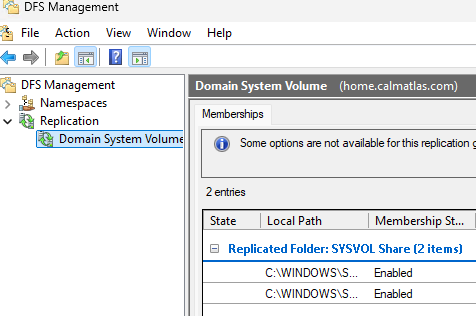
Next I used the DFS Management tool to check health and perform tests. All tests passed and the health reports only showed warnings about the event log. These were the errors from hours before, showing up on the health report because they occurred within the last 24 hours. I ignored those warnings.
Time for “Research”
I remember an old boss of mine said in interviews he liked to hear people say “I’d Google it,” as part of their answers, and that made sense because it showed they weren’t scared to look things up and rely on their available tools. Back then the old timers would say RTFM and the young bloods would say Google it. Well, these days I Google things on Bing and my bones aches, so to stay fresh I described my issue to Copilot.
Copilot said “Confirm DFSR is the problem:”
dfsrdiag backlog /rgname:"Domain System Volume" /rfname:"SYSVOL Share" /smem:<DC1> /rmem:<DC2>
and
dfsrdiag backlog /rgname:"Domain System Volume" /rfname:"SYSVOL Share" /smem:<DC2> /rmem:<DC1>
This returned hundreds of results in both directions Copilot recommended that I force a sync by performing these steps on DC2.
net stop dfsr
rename C:\Windows\SYSVOL\domain C:\Windows\SYSVOL\domain.old
net start dfsr
dfsrdiag pollad
I ran into two problems. First, I didn’t have permission to rename that folder, so I told Copilot that and it correctly told me to take ownership first and gave me the commands. Second, I told Copilot that the command could not be found on dc2 and this is where the conversation went a bit sideways.
Copilot insisted this was evidence that I was using FSR instead of DFSR, an older technology, and had me run some commands to make sure I was using DFSR. Once satisfied, it asked me to run
dfsrdiag replicationstateI ignored this and asked how to install dfsrdiag, but it didn’t have the answer. Eventually I got it installed and was able to run the recommended commands above. This did not solve the problem, but Copilot insisted if I waited 20 minutes replication would recreate the domain folder that I renamed.
I left for a bit and when I came back the problem had not resolved itself. I recreated the domain folder with robocopy and restarted DFSR on the server. The problem persisted, but now there was a new error in the event viewer
The DFS Replication service initialized SYSVOL at local path C:\WINDOWS\SYSVOL\domain and is waiting to perform initial replication….
Time for Real Research
I put this error into Copilot and it told me to do the same steps as above. I put it into Google and the top result was from r/sysadmin that had a discussion and link to spiceworks, which then had a link to learn.microsoft.com
Copilot got me close the solution, but it was wrong. It told me I needed to perform a non-authoritative DFS replication but left out the part about disabling replication through adsiedit. You can see instructions for the fix here